Table of Contents
Building a secure home network in 2026 is a multi-layered process that goes far beyond simply picking a strong password. As cyber threats become more sophisticated, including AI-driven attacks and credential-harvesting strategies, a "defense-in-depth" approach is necessary to protect everything from your laptop to your smart doorbell.
The following step-by-step guide outlines how to harden your network and ensure your digital life remains private.
Step 1: Router Hardening and Initial Setup
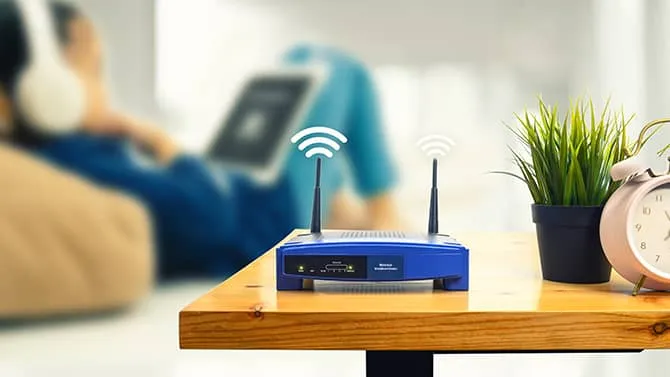
The router is the gateway to your home; if it is compromised, every device connected to it is at risk.
- Change Default Credentials Immediately: Most routers come with factory-default usernames and passwords (like "admin" and "password") that are publicly available online. Update both the administrator login and the Wi-Fi password to unique, long passphrases.
- Update Firmware Regularly: Manufacturers frequently release patches to fix security vulnerabilities. Enable automatic updates in your router settings to ensure you are always running the latest, most secure version of the software.
- Disable Remote Management: Unless you absolutely need to access your router settings from outside your home, disable features labeled "Remote Management" or "Remote Administration". This closes a common entry point used by hackers to gain control of your network from afar.
- Disable WPS: Wi-Fi Protected Setup (WPS) is designed for convenience but is notoriously easy to exploit via brute-force attacks. It is safer to enter passwords manually or use a QR code if your router supports it.
- Strategic Placement: Place your router in a central location within your home, away from windows and exterior walls. This limits how far your wireless signal radiates outside your property, reducing the chance of "Wi-Fi leeches" or hackers intercepting the signal from the street.
Step 2: Advanced Encryption and Network Standards
In 2026, the encryption standard you use determines how difficult it is for an attacker to crack your network.
- Implement WPA3 Encryption: This is the current gold standard for Wi-Fi security. It offers much stronger resistance to password-guessing attacks and provides individualized data encryption for every device on the network.
- Fallback to WPA2-AES: If you have older devices that do not support WPA3, use WPA2 with AES encryption. Avoid outdated protocols like WEP or WPA, which are easily cracked with modern tools.
- SSID Best Practices: Change your network name (SSID) to something bland that does not include your name, address, or router model. Identifying the router brand can give hackers a head start by letting them know which default vulnerabilities to target.
Step 3: Network Segmentation and IoT Security
One of the biggest risks in modern homes is the "Internet of Things" (IoT)—smart bulbs, cameras, and thermostats that often have weak security.
- Create a Dedicated IoT Network: Most modern routers allow you to create a separate "Guest Network". Use this secondary network exclusively for your smart devices.
- Isolate Sensitive Data: By placing IoT devices on their own network, you ensure that if a smart lightbulb is hacked, the attacker cannot easily jump over to your primary computer or phone where your banking and personal data reside.
- Disable Universal Plug and Play (UPnP): While UPnP helps devices discover each other automatically, it also allows them to open holes in your firewall without your permission. For maximum security, disable this feature in your router’s advanced settings.
Step 4: Identity as the New Perimeter
In 2026, security experts emphasize that identity is the primary attack vector.
- Zero Trust Architecture (ZTA): Move toward a "Zero Trust" mindset where no device or user is trusted by default, even if they are already on your network. This involves continuous verification of every connection request.
- Multi-Factor Authentication (MFA): Enable MFA on every possible account, especially your router's admin portal and your primary email. Phishing-resistant MFA (like hardware keys or passkeys) is the preferred standard in 2026.
Step 5: The Router-Level VPN
For comprehensive privacy, install a VPN directly on your router. This encrypts all traffic for every device in your home, including those that cannot run VPN software, such as smart TVs and gaming consoles.
Router Recommendation for 2026
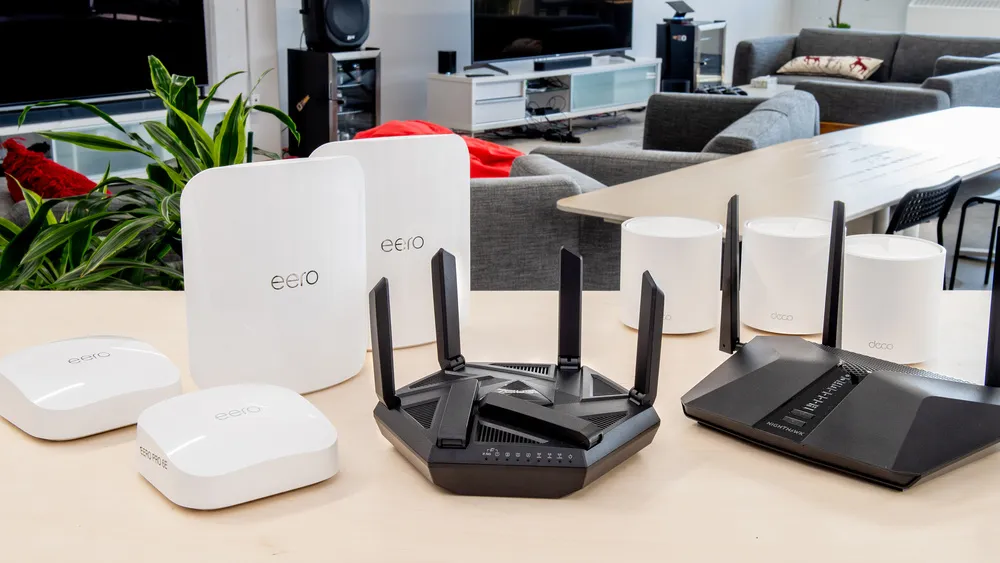
If you are looking for a high-performance router that handles VPN encryption with ease, we recommend the Asus RT-AX58U. It is a top-rated WiFi 6 router that provides excellent value, strong security features, and native support for both OpenVPN and WireGuard protocols.
- Our Top Pick: Asus RT-AX58U WiFi 6 Router
Final Verdict on Home Security
To achieve maximum protection, we recommend pairing a hardened router with a premium VPN service like Surfshark. This combination provides encrypted tunnels for your data, ad and malware blocking, and the ability to safely manage unlimited devices across your entire household.
- Affiliate Link: Get the Surfshark 2026 Deal here

Building a secure home network in 2026 is no longer a one-time setup; it is an ongoing process of layering defenses against increasingly automated and AI-driven threats. By following these frequently asked questions and utilizing the provided meta descriptions, you can better understand the current landscape of digital protection.
Frequently Asked Questions (FAQ)
Why is my home Wi-Fi not secure by default? Most routers are shipped with generic, publicly available administrative credentials and Wi-Fi passwords to simplify the initial setup for consumers. These default settings are easily exploitable by intruders who can find them in public databases, allowing them to monitor your traffic or hijack your network.
What is the most secure Wi-Fi encryption method in 2026? WPA3 (Wi-Fi Protected Access 3) is the best and most modern encryption available today. It provides advanced features like forward secrecy and protected management frames, making it significantly harder for attackers to use brute-force or dictionary attacks to crack your password.
Can my Wi-Fi be hacked even if I have a strong password? Yes, a password is only one layer of defense. Vulnerabilities in outdated router firmware, misconfigured features like WPS or UPnP, and unpatched IoT devices can all provide entry points for hackers regardless of your password strength.
How often should I update my router's firmware? You should check for firmware updates every 3 to 6 months. These updates often contain critical security patches that fix newly discovered vulnerabilities that hackers actively target. Enabling automatic updates is highly recommended whenever available.
Should I use a guest network for my smart home (IoT) devices? Absolutely. Many IoT devices, such as smart cameras or thermostats, lack robust security features and are frequently targeted by malware. Placing them on a separate guest network prevents a compromised device from being used as a gateway to your primary computers and sensitive data.