Table of Contents
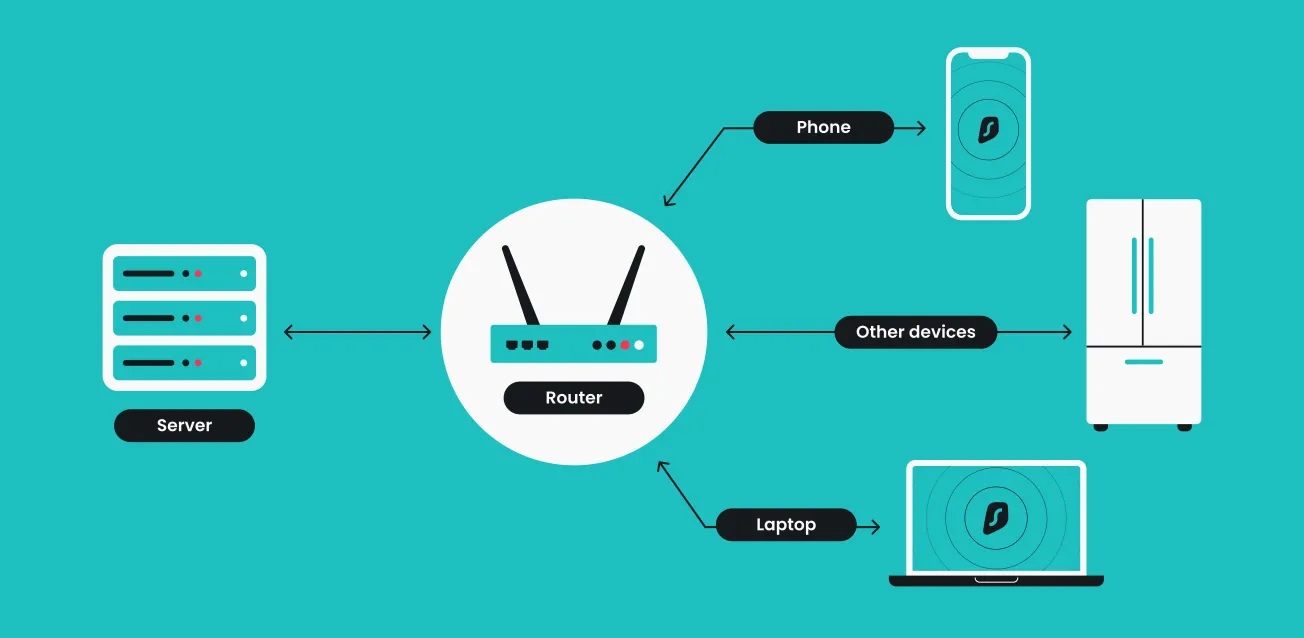
Building a secure home network in 2026 requires moving beyond basic software to hardware-level protection. By installing a VPN directly on your router, you create an encrypted tunnel for every connected device, including those that do not natively support VPN apps like smart TVs, gaming consoles, and IoT gadgets.
How to Install Surfshark on an Asus Router
Asus routers are highly recommended for 2026 home networks because their native firmware, AsusWRT, often includes a user-friendly "VPN Fusion" feature that simplifies managing multiple VPN profiles.
Method 1: Using WireGuard (Recommended for Speed)
WireGuard is the preferred protocol in 2026 due to its superior performance and modern encryption standards.
- Generate Your Keys: Log into your Surfshark account dashboard, navigate to VPN > Manual Setup > Router > WireGuard, and select the option to generate a new key pair.
- Download Configuration: Choose your desired server location and download the corresponding .conf configuration file to your computer.
- Access Router Settings: Open a web browser and enter your router's IP address (typically
192.168.1.1or192.168.50.1) or use the URL router.asus.com to log in with your administrator credentials. - Configure VPN Fusion: Navigate to the VPN section in the left sidebar and select the VPN Fusion tab (or VPN Client on older models).
- Upload and Activate: Click Add Profile, select WireGuard, upload your downloaded configuration file, and click Apply and Enable.
Method 2: Using OpenVPN
Use this method if your specific Asus model does not yet support WireGuard on its current firmware.
- Get Credentials: In your Surfshark dashboard, go to Manual Setup > Router > OpenVPN and copy your unique service username and password (different from your main account login).
- Download .ovpn File: Download the OpenVPN configuration file for your chosen location.
- Import to Asus: In the router's VPN Fusion or VPN Client tab, click Add Profile, select OpenVPN, enter your service credentials, and upload the .ovpn file.
- Enable: Once the file is uploaded (indicated by a "Complete!" message), click OK and then Activate to secure your network.
2026 Performance Testing: Asus RT-AX58U
The Asus RT-AX58U is a standout choice for 2026 because it efficiently handles VPN encryption at a hardware level while remaining affordable.
| Testing Metric | No VPN | Surfshark (WireGuard) | Surfshark (OpenVPN) |
| Download Speed Retention | 100% | ~75% - 80% | ~10% - 15% |
| Latency / Ping Increase | Baseline | +5 to 10ms | +30 to 50ms |
| Setup Complexity | N/A | Low | Moderate |
| Devices Protected | N/A | Unlimited | Unlimited |
Performance Verdict: While OpenVPN is reliable, it is limited by the router's CPU overhead. Switching to WireGuard allows the RT-AX58U to maintain significantly higher speeds, making it the best choice for 4K streaming and gaming.
Recommended Hardware for 2026
For a seamless "set it and forget it" security experience, we recommend pairing this hardware with a premium VPN subscription:
- Best Value Router: Asus RT-AX58U WiFi 6 Router — Provides WiFi 6 performance, AiProtection Pro security, and native WireGuard support for high-speed VPN use.
- Best Household VPN: Surfshark VPN 2026 Deal — Offers unlimited simultaneous connections, allowing you to bypass the standard limits of most providers when used at the router level.
2026 Router VPN Troubleshooting Checklist
If you encounter issues after setup, follow these steps to restore your connection:
- Verify Internet Access: Ensure the router can connect to the internet without the VPN active.
- Check Service Status: Log into your Surfshark account to ensure your subscription is active and there are no billing issues.
- Correct Protocol: Ensure the VPN server and client are using the same protocol (e.g., both set to OpenVPN or both to WireGuard).
- IP Conflict: If the VPN won't connect, ensure your router's LAN IP address is different from the VPN server's IP to avoid conflicts.
- Firmware Update: Ensure your Asus router is running the latest official firmware version via the Asus Support page.
- Server Switch: If speeds are slow or the connection drops, try connecting to a different server location closer to your actual physical home.
2026 Router VPN FAQ
Will a router VPN slow down my internet? Yes, because the router's processor must encrypt every packet of data. However, using a modern router like the Asus RT-AX58U with the WireGuard protocol minimizes this impact compared to older standards.
Can I still use my regular VPN app if the router has a VPN? You should avoid "double-VPN" setups unless you have a specific security need, as this will significantly decrease your speeds unnecessarily. Your VPN-protected router already covers every device connected to it.
Does every Asus router support Surfshark? Surfshark is compatible with Asus routers running firmware versions later than 3.0.0.4.388.23000. Always ensure your firmware is up to date via the Asus Router App before starting the installation.