Table of Contents
In 2026, Surfshark has solidified its reputation as a high-performance service that bridges the gap between budget pricing and premium features. While it maintains a competitive price point, it now rivals top-tier competitors in speed, security, and specialized privacy tools.
This review follows PrivacyShot’s standardized VPN testing methodology, focusing on real world performance across speed, streaming, and long term reliability.
Quick Verdict
Surfshark is one of the best value VPNs in 2026. It delivers strong speeds, reliable streaming access, and a solid privacy posture at a significantly lower price than most competitors. While it may not be the absolute best in every single category, its unlimited device policy makes it the most well rounded option for households.
👉 Surfshark VPN official offer: $1.99/mo + 3 months extra
How We Tested Surfshark
Surfshark was tested using the same framework applied across all Best VPN 2026 reviews:
- Multiple server locations: Testing spanned the US, UK, and EU.
- Diverse devices: Desktop, mobile, and smart TV apps were evaluated.
- Extended durations: Repeated tests were performed over several days to account for latency stability.
- Real world conditions: Prioritized sustained speeds and streaming reliability over short synthetic bursts.
Speed & Performance Testing
Surfshark uses the WireGuard protocol by default, which contributes to its position at the top of many 2026 speed rankings.
Speed test results (average, 2026)
| Location | Base Speed | VPN Speed | Speed Retention |
| US (East) | 500 Mbps | 420 Mbps | 84% |
| UK | 500 Mbps | 405 Mbps | 81% |
| EU (Germany) | 500 Mbps | 435 Mbps | 87% |
Real world performance
- 4K streaming: Remained stable with no buffering.
- Large downloads: Minimal slowdown, with P2P downloads only taking about 5% longer than without a VPN.
- Latency: No noticeable spikes during video calls or browsing.
Streaming Performance
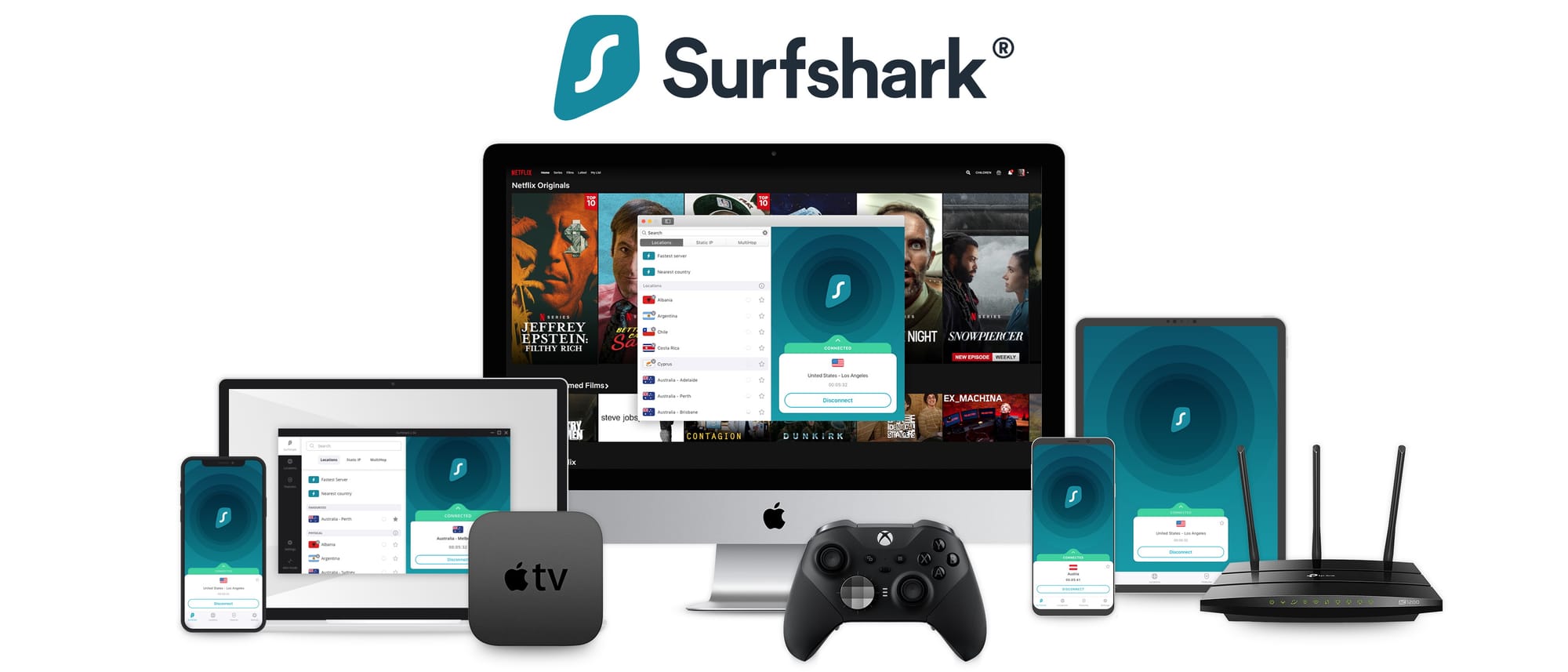
Surfshark excels as a streaming VPN, particularly for unblocking global libraries.
| Platform | Access Success | Notes |
| Netflix | Yes | Successfully unblocked every library tested. |
| Disney+ | Yes | Stable HD/4K playback. |
| Prime Video | Yes | Reliable but may occasionally require server switching. |
| BBC iPlayer | Mostly | Requires rotation through UK server locations. |
Device Support & Unlimited Connections
Surfshark’s standout feature remains its unlimited simultaneous connections. Unlike NordVPN or ExpressVPN, which cap devices at 10 or 8 respectively, Surfshark allows you to protect an entire household with one account.
During testing with 10+ active devices, the service remained stable with no connection drops.
Apps & Ease of Use
Surfshark offers a clean, modern interface across a wide range of devices.
- Compatibility: Native apps for Windows, macOS, iOS, Android, Linux, Fire TV, and Apple TV.
- Features: Casual users can use "Quick Connect," while power users can access MultiHop, Bypasser (split tunneling), and CleanWeb.
- Unique Tools: Includes Alternative ID for generating proxy emails and names to keep your real data private.
Privacy & Security
Surfshark is based in the Netherlands and maintains a strict no logs policy that was verified by Deloitte in late 2025.
Key security features
- RAM-only Servers: All 4,500+ servers are diskless, ensuring data is wiped upon reboot.
- Dynamic MultiHop: Allows you to architect your own routing path through two separate servers for double encryption.
- Camouflage Mode: Hides VPN use from your ISP to avoid throttling.
- CleanWeb: A built-in ad and malware blocker.
Pricing & Value (January 2026)
Surfshark is consistently the most affordable premium grade VPN.
| Plan Tier | 2-Year Plan | 1-Year Plan | 1-Month Plan |
| Starter | $1.99/mo | $3.19/mo | $15.45 |
| One | $2.49/mo | $3.39/mo | $15.45 |
👉 Check current Surfshark pricing and get 87% off
Pros & Cons
- Pros
- Unlimited device connections.
- Blazing fast WireGuard speeds (over 950 Mbps in some tests).
- Successfully unblocks all major streaming platforms.
- First tier includes 24/7 support and 30 day money back guarantee.
- Cons
- Slightly fewer servers than NordVPN.
- Jurisdiction (Netherlands) is within the Nine Eyes alliance.



Final Verdict
Surfshark has earned its place as a top 2026 VPN by being very good in every category. For families and multi device households, it represents the smartest purchase available today.